Manage applicants: the pipeline for your application process
Every application is a card, every stage a column. So you can see at a glance who is new, who has been invited and where things are stuck.
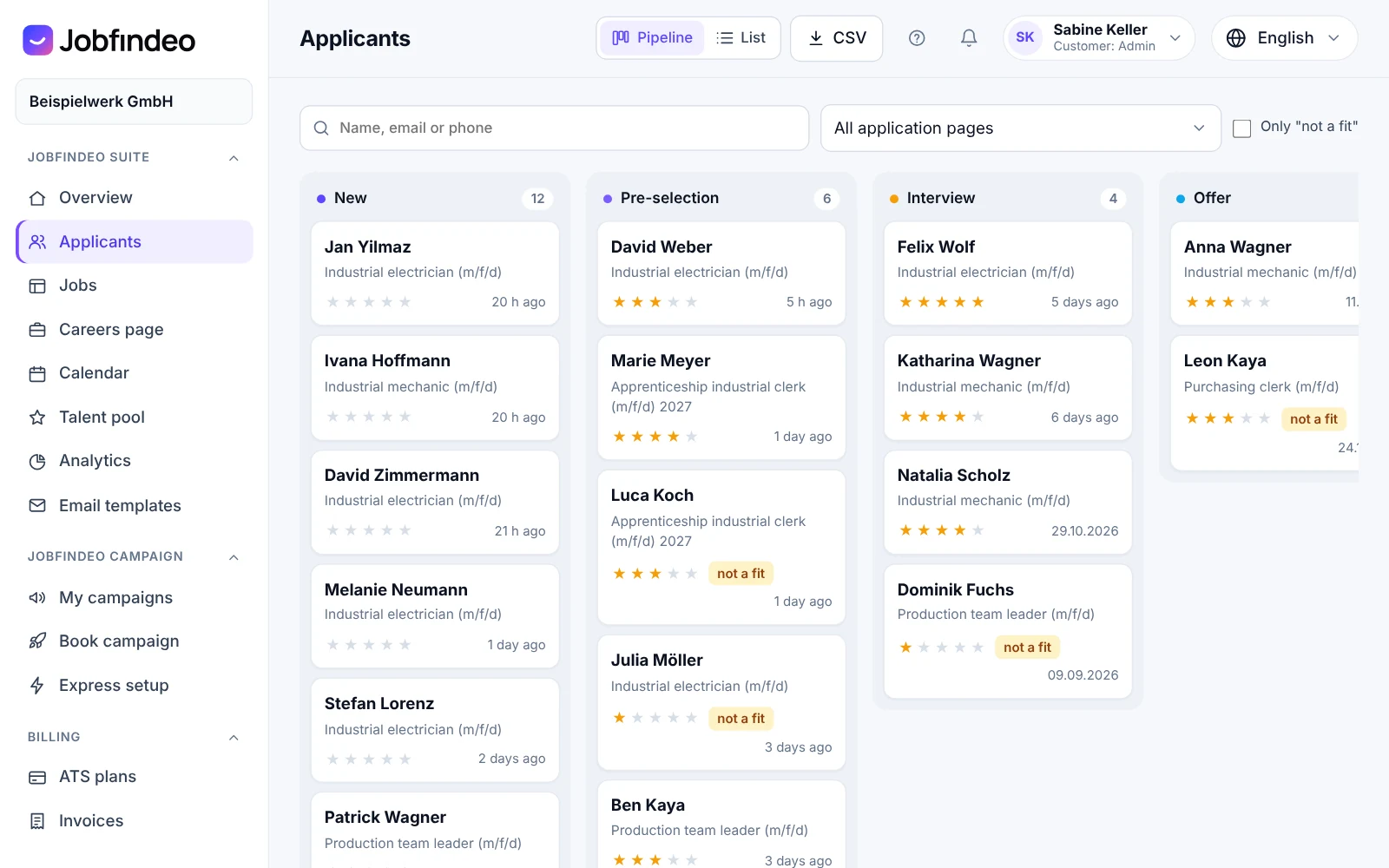
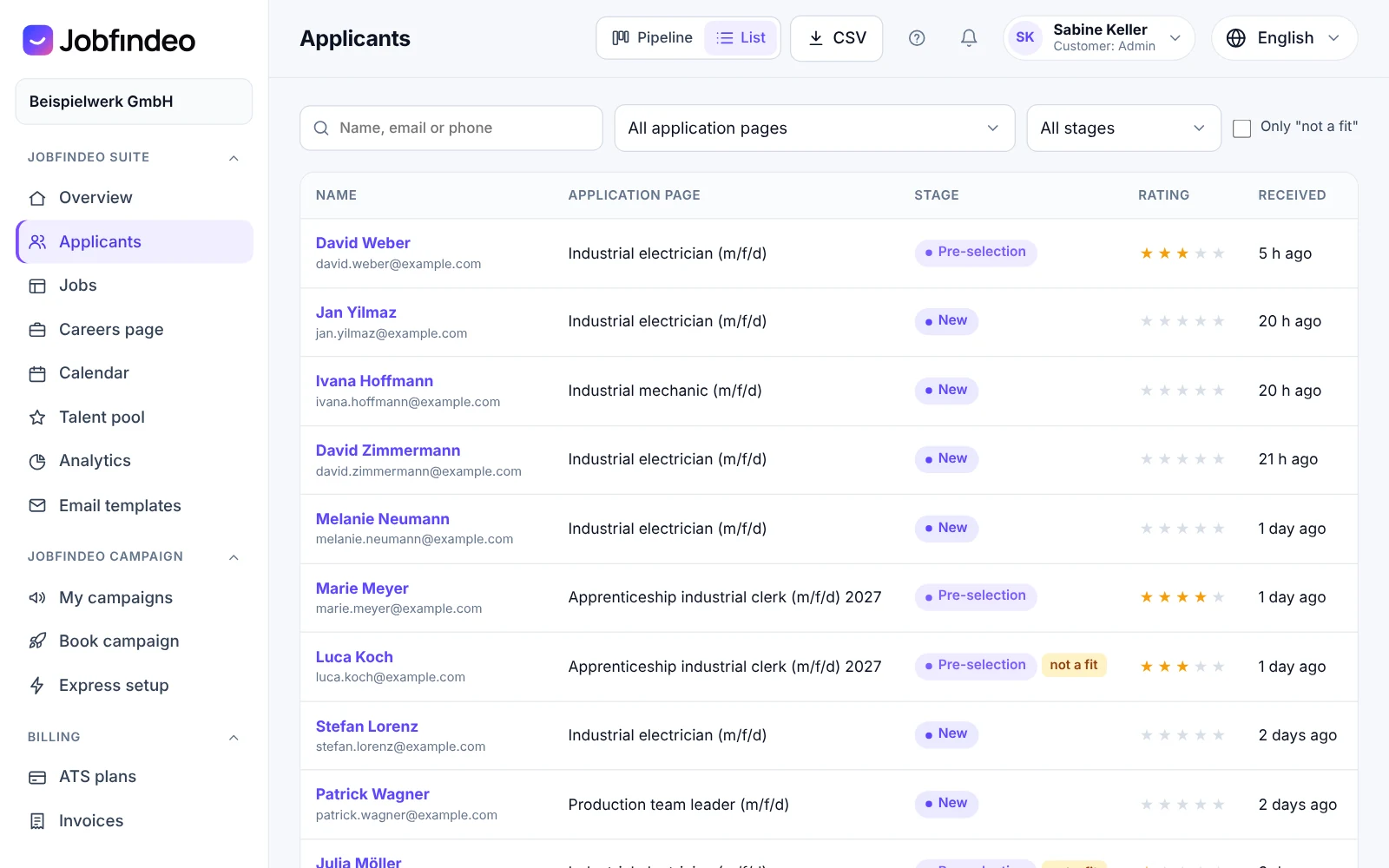
Two views, one data set.
In the pipeline you drag cards into the next stage. In the list you search, filter and sort by job, stage or date.
- Stages: New, Under review, Interview, Offer, Hired, Rejected
- Star rating for a quick assessment
- "Fit" filter hides knock-out answers
- Search by name, email and phone
All information about a person.
Answers, documents, source, notes and email history on one page. With one click you invite or reject.
- Notes with date and author
- Download documents
- Source such as Facebook, Instagram or website
- Deletion date and talent pool status
Questions about the applicant pipeline
What is an applicant pipeline?
An applicant pipeline shows the application process in stages, similar to a kanban board. Each application moves from left to right, from receipt to hiring or rejection.
Can I adjust the stages?
Jobfindeo starts with six proven stages. They cover the process of most small and medium-sized companies.
Can I export applications?
Yes, as a CSV file, for example for analysis in Excel.

Start for free with Jobfindeo.
With Jobfindeo ATS Free one job is free forever. Create an account, set up a job, share the link. No payment details, no minimum term.