Jobfindeo in action: careers page, job form and customer area
Open the live demo and click through the customer area yourself. Or follow the tour below: the numbers show what is where and what you set yourself.
The live demo opens the customer area with sample data: pipeline, calendar and analytics to click through, without signing up.
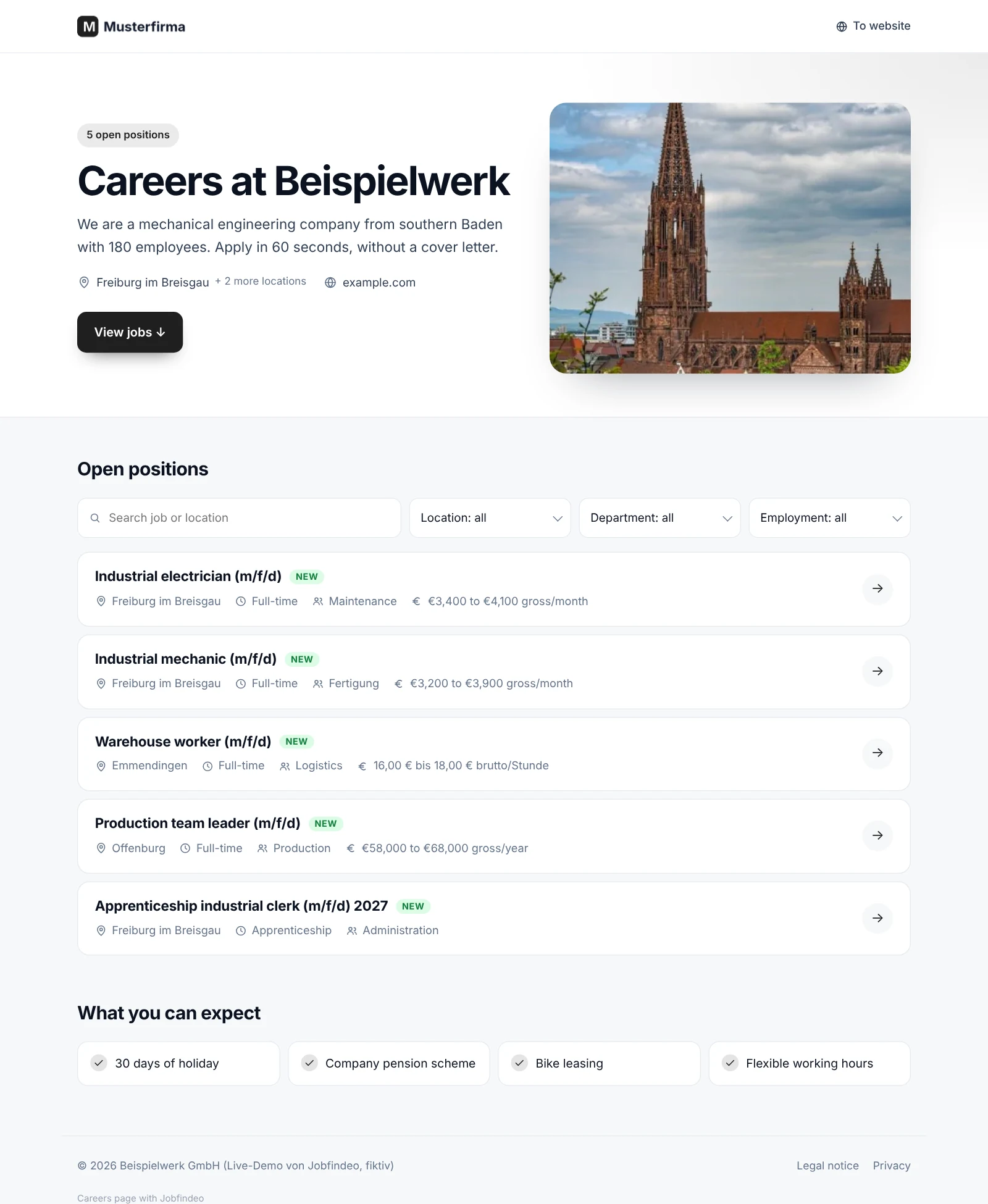
Your careers page at jobs.jobfindeo.de/your-company
This is how applicants see your company when they click on "Careers" or open your link. You maintain everything in a few minutes in the customer area.
- 1Your logo and company nameTop left, with a link back to your website.
- 2Heading and introductionTwo sentences on who you are and why people should apply.
- 3Cover imageA real photo from your company works best.
- 4Search and filtersBy job, location, department and employment type. Created automatically from your jobs.
- 5Your open jobsEvery job you publish appears here immediately, with location, employment type and salary.
- 6Your benefitsWhat employees can expect from you, one line per benefit.
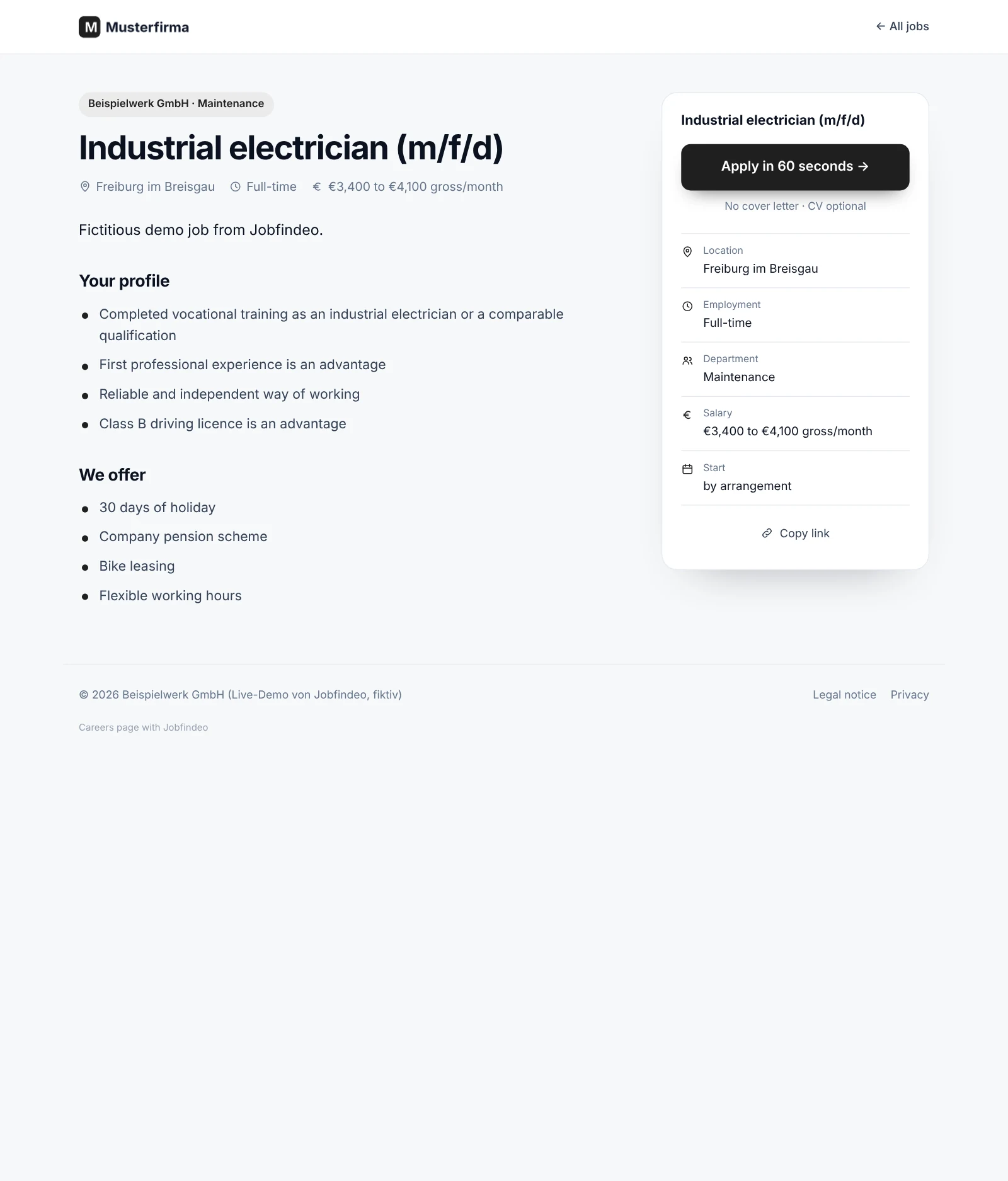
Every job has its own page
With all the information applicants really want to know, and the data Google for Jobs needs.
- 1Job title and key factsTitle with (m/f/d), location and employment type.
- 2Tasks and profileShort and concrete, from the job assistant.
- 3Apply buttonLeads directly to the job form, without a detour via an inbox.
- 4Facts at a glanceLocation, employment, department, salary and start. These details also go to Google for Jobs.
- 5Contact personWith name and contact details, which builds trust.
- 6ShareCopy the link and pass it on, for example via WhatsApp.
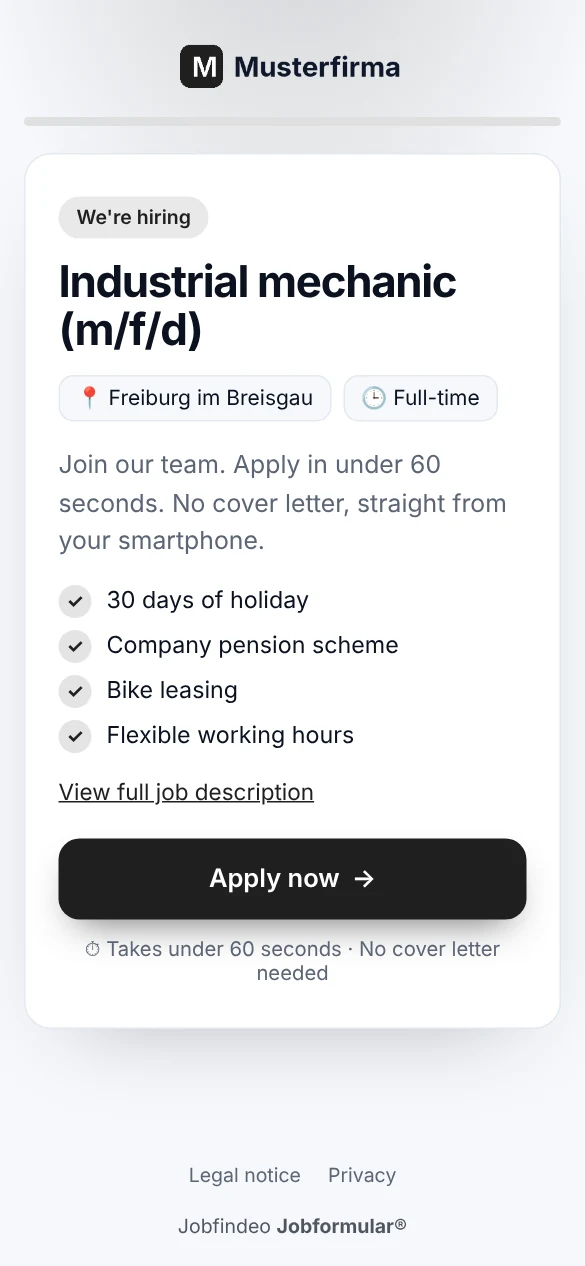
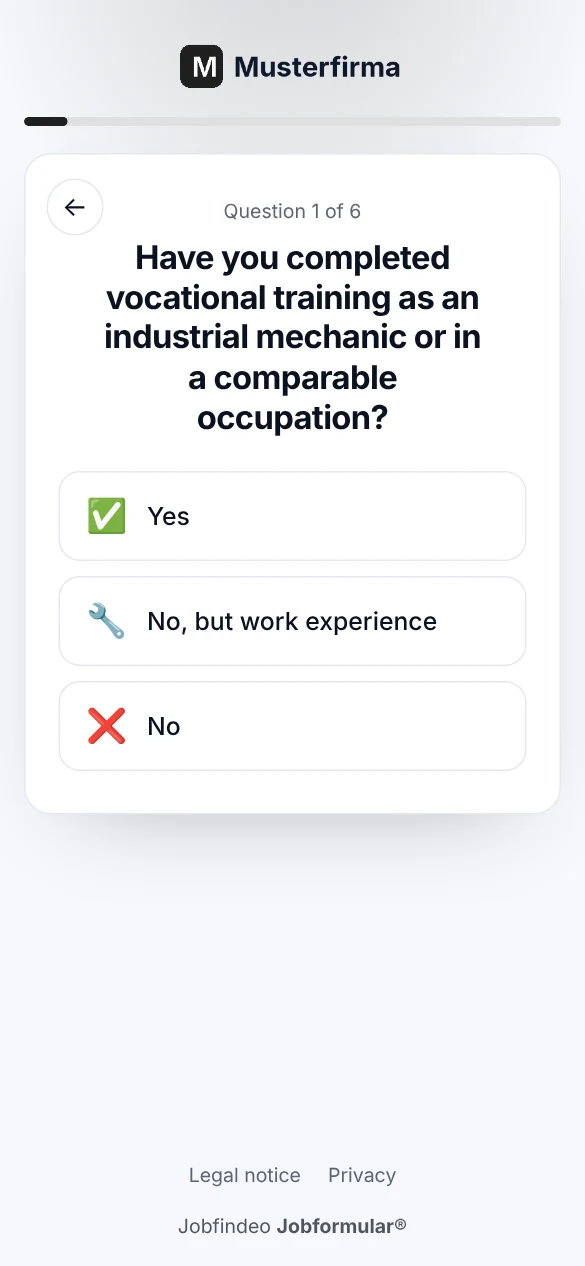
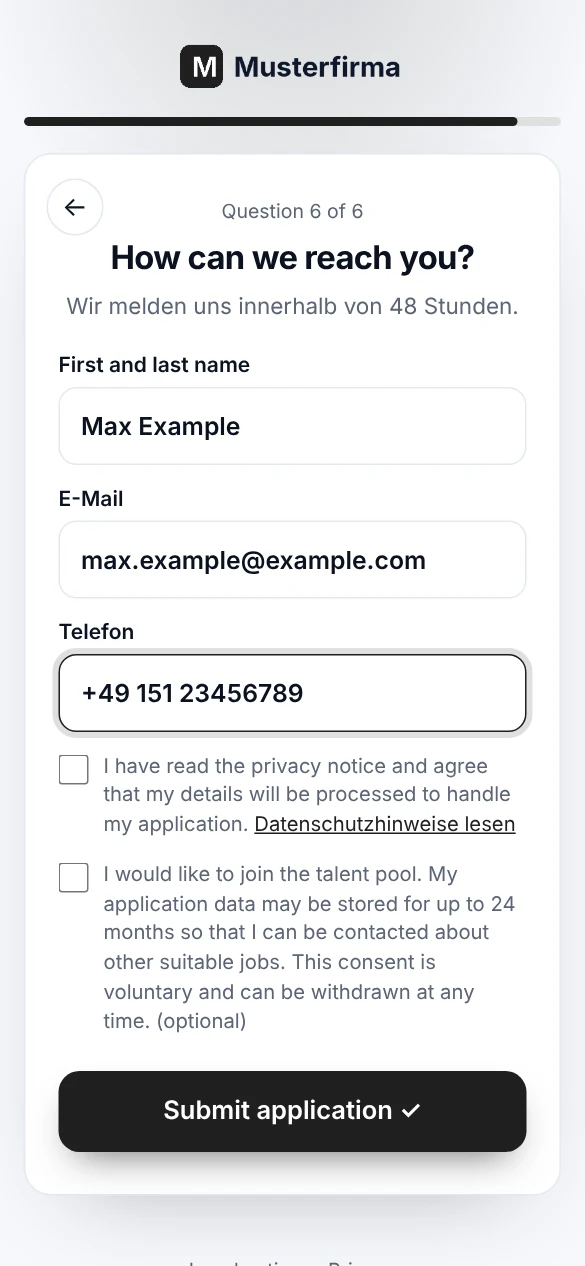
Apply in under 60 seconds
Instead of a cover letter, a few questions to tap, then the contact details. Made for smartphones.
- 1Your name at the topApplicants see immediately who they are applying to.
- 2The jobWith location and employment type.
- 3Your benefitsThe most important benefits as a list.
- 4StartOne tap and off you go.
- 5ProgressApplicants see how far along they are.
- 6Question instead of cover letterFor example training, experience or start date.
- 7Answers to tapYou mark answers that don't fit as knock-out. The application still arrives.
- 8Contact detailsName, email and phone. CV is optional.
- 9ConsentsPrivacy notice and, on request, talent pool, properly documented.
- 10SubmitDone. The application reaches you immediately.
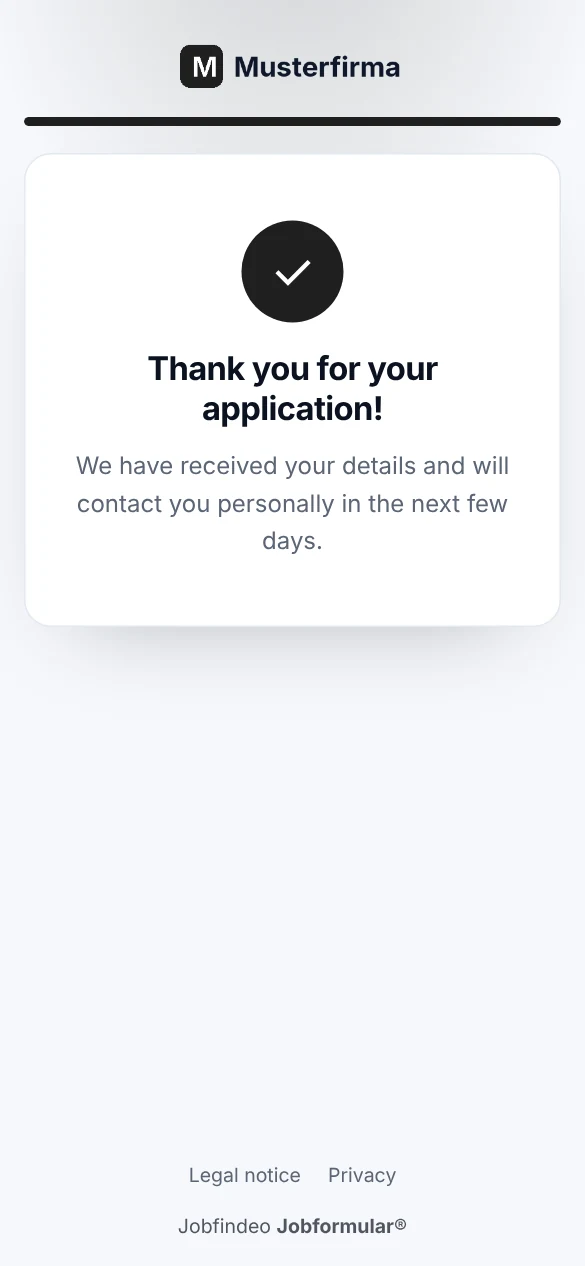
Confirmation for applicants, message for you
Applicants see a thank-you page and automatically receive a confirmation of receipt. You and your team receive an email with all the details.
- 1Thank-you pageWith your text, for example when you will get in touch.
- Confirmation of receiptAutomatically by email, with your company name as the sender.
- Notification to youNew application with answers and contact details, to everyone you specify.
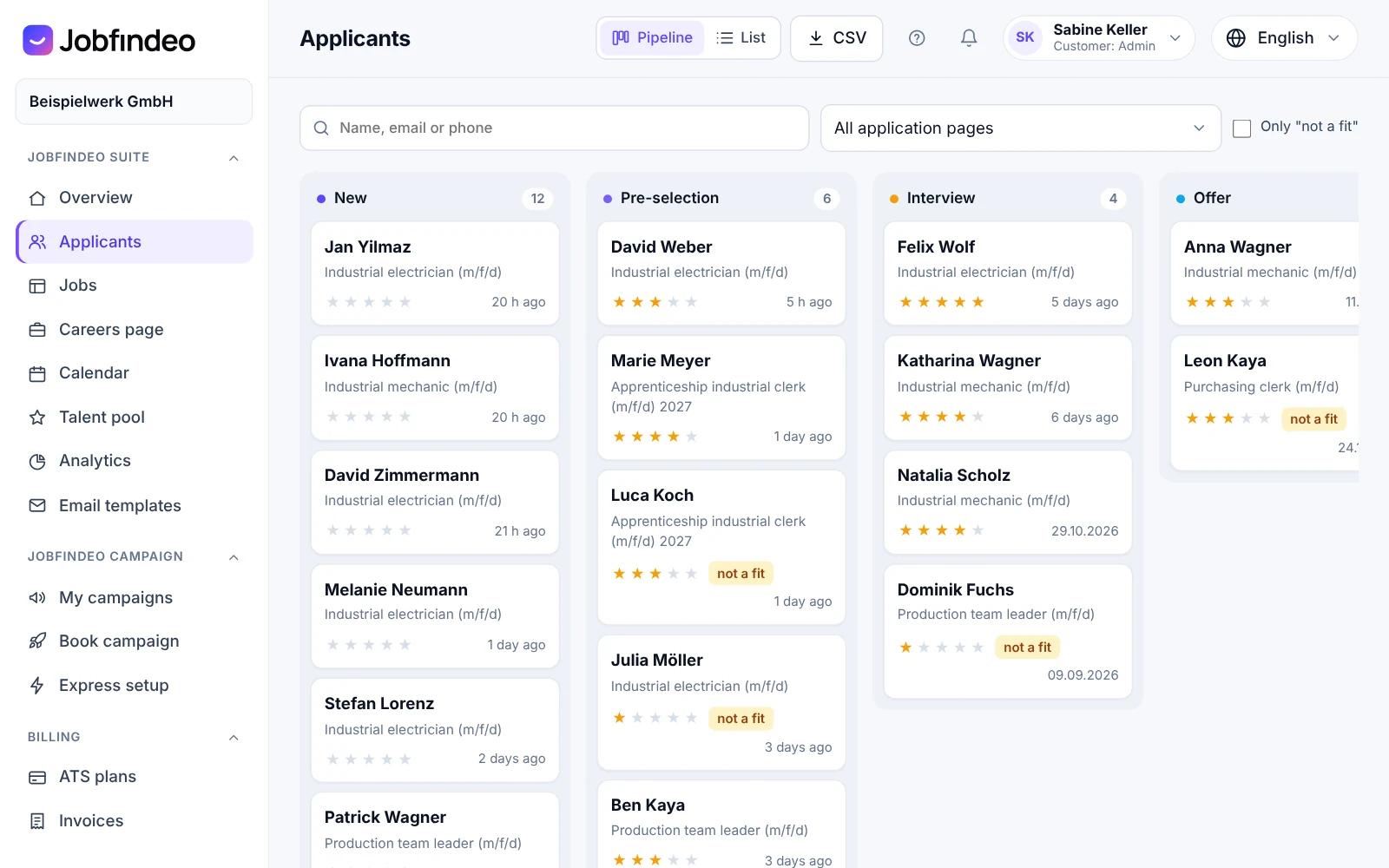
All applications in one pipeline
In the customer area at app.jobfindeo.de you work through the applications: rate, invite, reject, hire.
- 1StagesNew, Under review, Interview, Offer, Hired, Rejected. Move cards by dragging.
- 2Application cardName, job and how long the application has been there.
- 3Star ratingFor a quick assessment within the team.
- 4Search and filtersBy name, job or suitable applications only.
- 5Pipeline, list, exportSwitch views or export as CSV.
- 6MenuJobs, careers page, talent pool, analytics and campaigns.
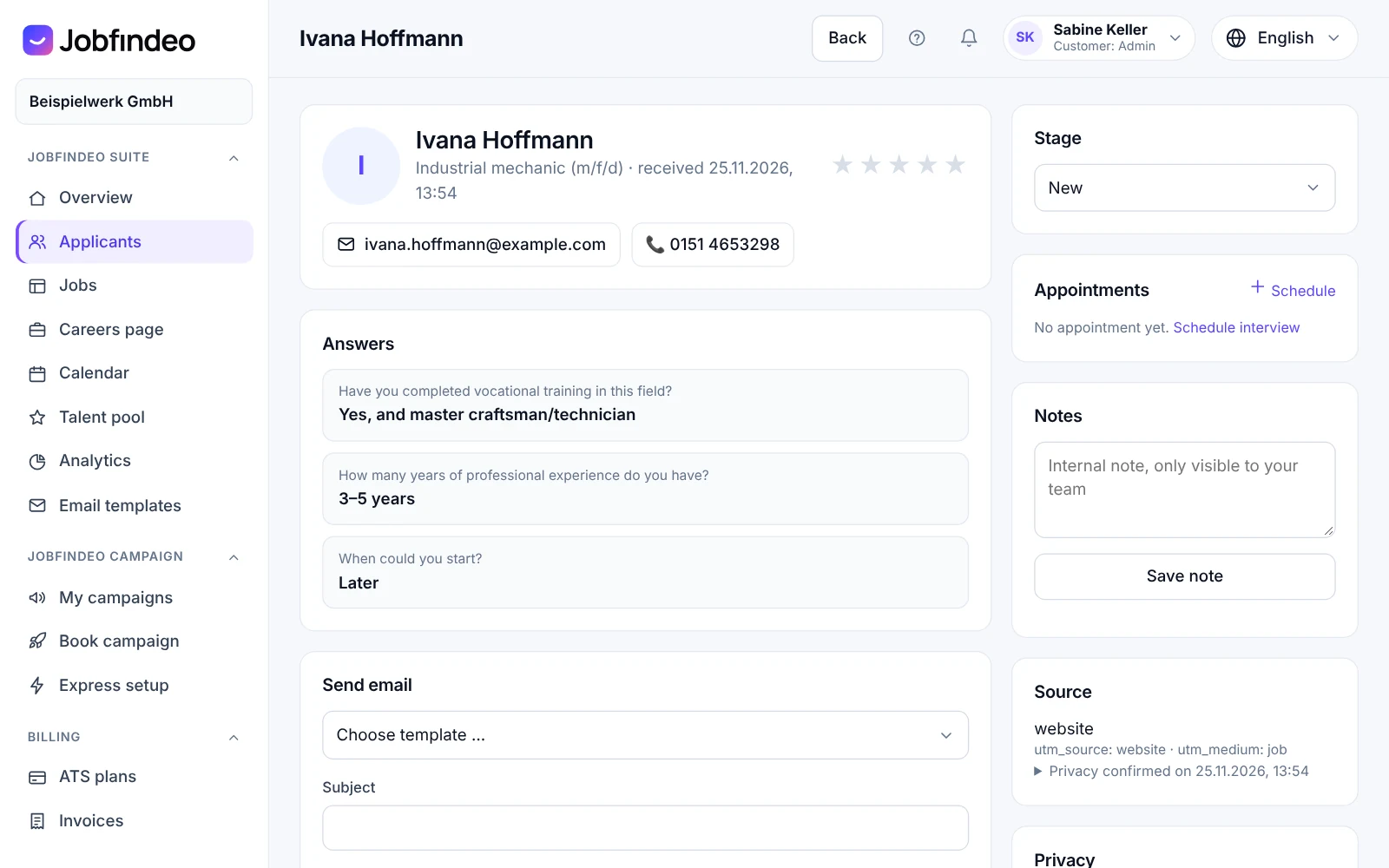
Everything about a person at a glance
Clicking on the card opens the profile with answers, notes and email history.
- 1Contact detailsName, job, date received, email and phone to click.
- 2Answers from the job formThe information that would otherwise be in the cover letter, only shorter.
- 3Change stageOne click and the application moves on.
- 4Email with templateInvitation or rejection with placeholders, directly from the profile.
- 5NotesFor your team, invisible to applicants.

Ready for your own careers page?
Your first job is online in 15 minutes. Free forever with Free, no payment details.